
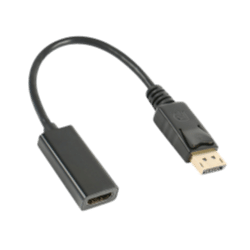
DP-H1 – Active DisplayPort 1.2a to HDMI 2.0 Adapter (4K@60Hz, HDCP 2.2)
Connect your PC, Mini PC, or laptop with a DisplayPort™ 1.2a output losslessly to an HDMI™ 2.0 4K TV, monitor, or projector. Powered by an active signal conversion chip, the DP-H1 delivers razor-sharp 4K Ultra-HD resolution at a smooth 60Hz (up to 6 Gbps TMDS per channel), 7.1 multi-channel audio, and full support for AMD Eyefinity multi-monitor setups.
Highlights at a glance
4K Ultra-HD @ 60Hz
Supports resolutions up to 4096x2160p @ 60Hz (YCbCr 4:4:4, 10/12-bit) as well as Full HD 1080p @ 120Hz without judder.
Active Signal Conversion
Guarantees stable signals even on graphics cards without DP++ and enables multi-monitor setups (e.g., AMD Eyefinity).
8-Channel Audio & HDCP 2.2
Transmits uncompressed 7.1 multi-channel audio and supports HDCP 1.3/1.4 as well as HDCP 2.2 for protected 4K content.
DisplayPort 1.2a to HDMI 2.0
Use the DP-H1 to connect your desktop PC, your Mini PC (such as our AW-15), or your workstation with a standard DisplayPort output to an HDMI 2.0-capable 4K television, monitor, or projector. Thanks to active signal conversion, the adapter is ideal for 4K video playback, smooth office work on large screens, and multi-display workstations.
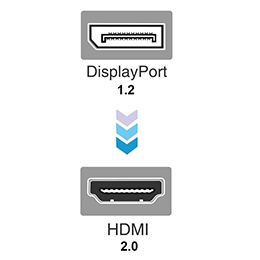
Smooth 4K @ 60Hz & HDCP 2.2
While basic passive adapter cables are often limited to sluggish 30Hz at 4K resolution, the DP-H1 is 100% compliant with the HDMI 2.0 specification and offers TMDS throughput of up to 6 Gbps per channel (18 Gbps total). It supports RGB and YCbCr 4:4:4 for crisp text rendering as well as HDCP 1.3 / 1.4 and HDCP 2.2 encryption.
Plug & Play without extra power supply
Operating the active DP-H1 converter requires no external power supply and no driver installation. The integrated chipset draws its low operating current directly from the DisplayPort connector of your PC – simply plug it in, connect your HDMI cable, and start working in 4K@60Hz right away.

Technical Specifications
Buying Guide & Pre-Sales Questions
What is the difference between the DP-H1 and the DP-H2?
Does the adapter also work in reverse (from an HDMI console to a DisplayPort monitor)?
Practical Tips & Knowledge Base
Quick help for achieving full 4K@60Hz resolution.
My TV only shows 4K at 30Hz instead of 60Hz
1. Enable HDMI 2.0 Enhanced Mode on your TV: On most 4K TVs (Samsung, LG, Sony, Philips), enhanced HDMI 2.0 bandwidth is disabled by default. In your TV settings, enable “HDMI Ultra HD Deep Color”, “Enhanced Signal Format”, or “Input Signal Plus” for the HDMI port in use.
2. Use a High-Speed HDMI 2.0 cable: Make sure the HDMI cable between the DP-H1 and your TV is rated for HDMI 2.0 (18 Gbps).

