
AM-1 PRO – Wireless Airmouse with Backlit German QWERTZ Keyboard, Microphone & Rechargeable Battery
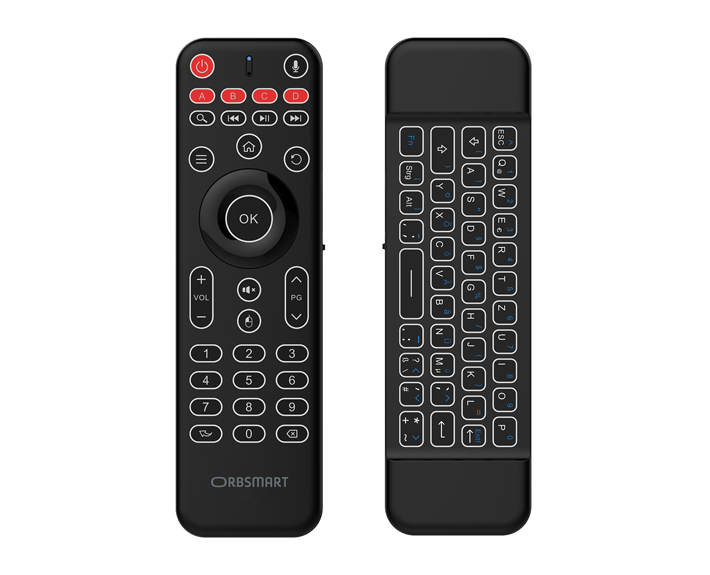
Full control in your home theater – even in the dark: The AM-1 PRO upgrades our proven 6-axis airmouse and mini keyboard with a multi-level, double-sided LED backlight and a built-in microphone for voice input. Powered by a rechargeable 500 mAh Lithium-Ion battery and equipped with 5 programmable infrared keys, it is the ultimate remote for Android TV boxes, media players, and Mini PCs.
This model is manufactured exclusively with a German keyboard layout (QWERTZ). Compared to English QWERTY keyboards, the Y and Z keys are swapped, and dedicated keys for German umlauts (Ä, Ö, Ü) are printed on the back.
Highlights at a glance
Smart LED Backlight
Full visibility in darkened rooms: Both the front remote and the rear keyboard are backlit with 3 adjustable brightness levels.
German QWERTZ & Mic
Full German mini keyboard (including Ä, Ö, Ü) on the back plus a built-in microphone for voice search and voice commands.
6-Axis Airmouse & Battery
Smooth mid-air cursor control, 5 programmable infrared learning keys, and a built-in 500 mAh rechargeable Li-Ion battery.
Full control – even in the dark
Never press the wrong button during a movie again: The AM-1 PRO features an even LED backlight on both the front and back sides. Using the dedicated light button, you can adjust the brightness across three levels or switch it off completely. To save battery power, the orientation sensor only illuminates whichever side is currently facing up.

Backlit German QWERTZ mini keyboard
Simply flip the remote over: The back features a complete German QWERTZ mini keyboard including umlauts (Ä, Ö, Ü). Search terms on YouTube, passwords, or web URLs are typed in seconds – and thanks to the key illumination, you can type effortlessly at night without turning on the living room lights.

Precise 6-axis airmouse control
Turn natural wrist movements into accurate cursor control. The built-in 6-axis gyroscope sensor lets the mouse pointer glide smoothly across your TV screen – indispensable for web browsers and Android apps originally designed for touchscreens. When you only need the directional pad inside a media center (e.g., Kodi), you can disable the cursor with a single click.

Built-in microphone for voice input
Speak instead of typing: Via its integrated microphone, the AM-1 PRO registers on your media player or PC as a standard USB audio input device. This lets you use compatible voice search fields (such as in YouTube, Google search bars, or on a PC) comfortably from the couch.

500 mAh battery, IR learning & Plug & Play
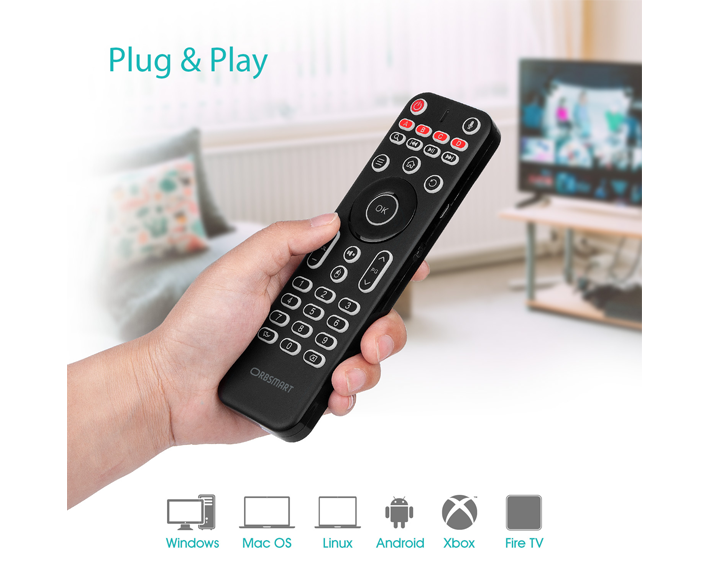
The tiny 2.4 GHz USB nano receiver works completely driver-free via Plug & Play up to 10 meters away. The integrated 500 mAh Lithium-Ion battery eliminates disposable battery costs and recharges easily via USB cable. Furthermore, up to 5 keys (the Power button and the 4 bottom colored keys) can learn infrared signals from your original TV remote.

Technical Specifications
Buying Guide & Pre-Sales Questions
What does “German QWERTZ Layout” mean for international users?
How do the AM-1 PRO, AM-1, and WA-1 differ?
• AM-1 PRO (this model): Our flagship universal airmouse for Android boxes, media players, and PCs – featuring double-sided LED key backlighting, a built-in microphone, a 500 mAh rechargeable battery, and 5 IR learning keys.
• AM-1: Identical in shape and rechargeable battery, but without key backlighting and without a microphone.
• WA-1: Specifically tailored for Windows 10 & 11 PCs – featuring dedicated Windows shortcut buttons (Explorer, Task Manager, Desktop, Alt+F4) and double-sided backlighting.
How does the built-in microphone work across devices?
How long does the built-in battery last?
Can I turn my TV on and off with the AM-1 PRO?
Practical Tips & Knowledge Base
Quick help with keyboard layout settings, backlighting, infrared learning, and cursor control.
Why are Y and Z swapped when typing on Android?
With the USB receiver plugged in, go to Settings → System / Device Preferences → Languages & Input → Physical Keyboard and select “German”. All printed keys and umlauts (Ä, Ö, Ü) will now match the screen output.
How to program the 5 Infrared (IR) learning keys
- Press and hold the TV button on the AM-1 PRO until the red status LED changes from rapid flashing to a slow blink (IR learning mode active).
- Point your original TV remote and the front of the AM-1 PRO directly at each other (approx. 1 to 2 cm apart).
- Press the desired button on your original TV remote (e.g., Power) until the LED on the AM-1 PRO stays solid red.
- Now press the target key on the AM-1 PRO (e.g., the Power button or one of the 4 colored buttons) – the LED will blink slowly again.
- Finally, press the TV button on the AM-1 PRO once to save the code and exit learning mode.
How do I adjust the key backlight brightness and mouse cursor speed (CPI)?
- Adjust backlight brightness: Press the Light bulb button (bottom right on the front side) to cycle through the 3 LED brightness levels or turn the backlight off.
- Increase cursor speed: Press and hold OK and tap Volume +.
- Decrease cursor speed: Press and hold OK and tap Volume −.
The mouse cursor stutters or drifts to one side
- If the cursor drifts (Calibration): Simply place the AM-1 PRO flat on a level table for 5 seconds – the gyroscope sensor recalibrates automatically.
- If the cursor stutters (Interference or low battery): First recharge the battery completely via the USB cable. If an external USB 3.0 hard drive is plugged in right next to the USB receiver, move the AM-1 PRO receiver to a USB 2.0 port further away to avoid 2.4 GHz radio interference.

